
Patient Information
Patient Mobile App
Direct Radiology’s patient app is an easy way to view your medical images conveniently online via your smartphone or device.
This technology is available to patients attending one of our clinics for radiology testing. It enables you as the patient, secure access to your personal medical images following your scan.
Download via the Apple App Store for IOS devices or from Google Play for Android devices, alternatively use the web portal.


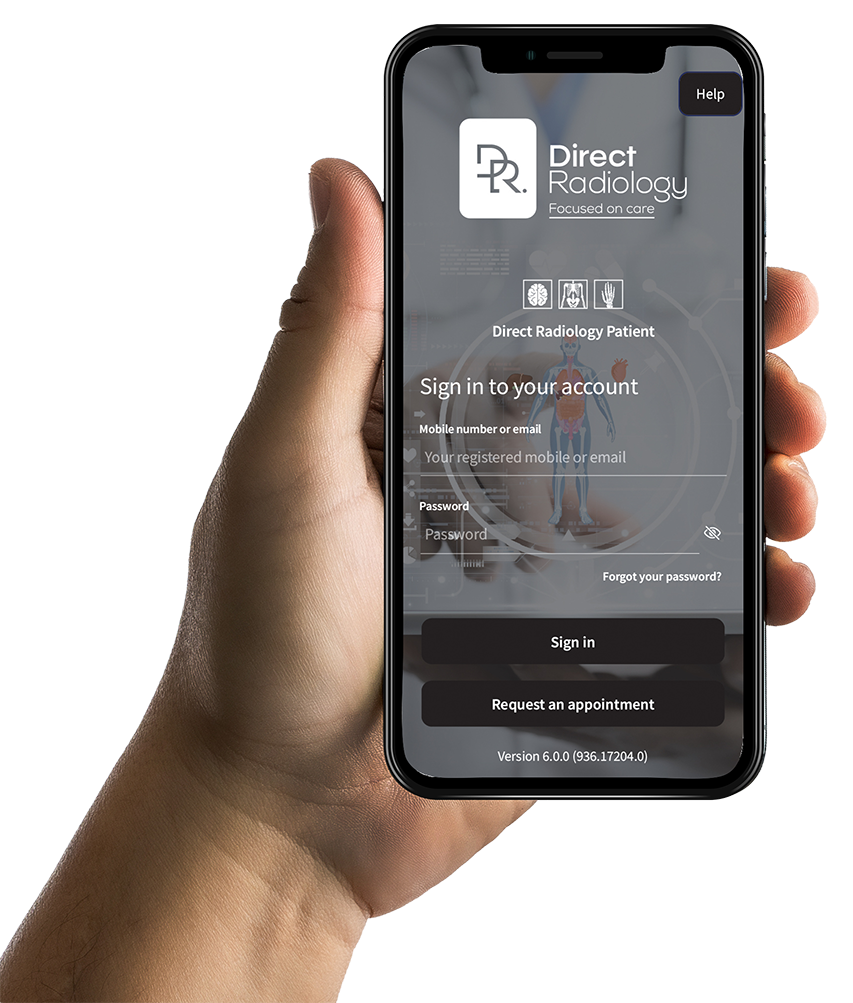
How does the App work?
SMS Message
After attending your appointment at Direct Radiology, you will receive an SMS text message or email with information that will enable you to activate your private account. If you do not wish to activate your account simply delete this message and nothing more will happen.
Activate your account
If you choose to activate your account, follow the prompts and download Direct Radiology Patient App from the Google Play Store or Apple App Store to your smartphone or tablet device. Then follow the steps of the account activation process.
Optional two-factor authentication
To further safeguard your personal health information, we’re now offering optional Two-Factor Authentication (2FA) on our patient app. 2FA helps ensure that only you can access your account – even if someone else knows your password. It’s quick to set up and easy to use, providing extra peace of mind when accessing your imaging results or managing appointments. Enabling 2FA is optional but highly recommended. Please click here to find out how to set up 2FA.
Viewing your Images
Once activated, you will be able to securely access your images using the Direct Radiology Patient App on your smartphone, or online via our web portal patient.directradiology.com.au/ Please Note: Your images will reach your account approximately 10 days after your appointment.
Radiologist report
The report from the Radiologist, which are the results of your test, will be available to you after 10 days. Your referring doctor will receive the report first.
Consult your doctor
It is important that you follow the normal procedure of obtaining your results from your Doctor, whether it be by phone or a follow-up appointment with them. They understand your clinical history and are best placed to explain your results and answer your questions.
What do you need to know?
Activation
Before your appointment at Direct Radiology, the reception staff will ask you for your mobile number (or email address if preferred).
Once your examination has finished you will receive an SMS text message to your smartphone containing your activation link.
Click on this link to activate your account and download the Direct Radiology Patient App from the Apple App Store or Google Play Store.
Alternatively, if you have selected to receive the link via email, click on the link in your email to access your images online, which will take you to our portal.
Upon your first login, you will be asked to enter your username which is the mobile telephone number or email address you provided the reception staff.
You will be asked to set a password during the account activation process – be sure to make this something memorable as this will act as your password for future access to your images.
If you forget your password, please select the ‘Forgot your password?’ option located at the bottom of the login screen.
A password reset link will then be sent to you.
General
The ‘Request an Appointment’ feature allows you to arrange a booking at one of our radiology clinics.
Simply select the type of imaging service required, choose your preferred location, time and date, then upload a photo of the referral form provided to you by your doctor.
Once submitted, a member of our staff will contact you to book and confirm the appointment.
Your images may not be finalised or ready for viewing.
If you do not receive an SMS or email 24 hours after your examination, please contact our technical support team by emailing
All Direct Radiology patient information is stored at a highly secure Australian Tier IV Data Centre. The Direct Radiology Patient App is GDPR (General Data Protection Regulation) compliant.
Other people cannot sign into your account using your phone number or date of birth, as you will have set a secure password during the account activation process.
Your results are also available via a web portal, which you can access by visiting https://patient.directradiology.com.au/
You will need to set up your account by following the link sent to you in the activation email.
Images
Providing the referring doctor has granted access, most results will be available approximately 10 days after the examination has been reported by one of our Radiologists, apart from Obstetric Ultrasounds images, which will be available to view a few hours after the scan.
Images can be saved from the Direct Radiology Patient App, and web portal by clicking the ‘Export’ option on the study tile.
Yes, you can easily share your images by selecting the ‘Share’ icon in Direct Radiology Patient App or web portal. You can also choose how long you would like the recipient to have access to your image.
Please note, the recipient will need to know your date of birth to be able to see your shared image.
Images can be saved from the Direct Radiology Patient App, and web portal by clicking the ‘Export’ option on the study tile.
No additional storage is required to view images.
Viewing your images is similar to viewing a standard web page.
Your images may not be processed yet. It could take up to 10 days for your images to reach your account. Otherwise, your doctor may have requested that your images are not made available using the Direct Radiology Patient App – please discuss this with your referring Doctor should you wish to obtain a copy of your images.
If your images are not available after 10 days, please send an email to patientapp@directradiology.com.au with your full name, date of birth, and the date of your test at Direct Radiology.
If your doctor has requested that your images not be available on the app our support team will let you know.
Your previous medical images are not available directly through the Direct Radiology Patient App or web portal.
If you need access to images from a previous appointment, please contact the Patient App Support team at patientapp@directradiology.com.au and provide:
- Your full name
- Your date of birth
- The date of your examination
- The type of examination and body part
Our IT department can assist with account creation, please email patientapp@directradiology.com.au for technical support and gaining access to previous imaging.
Results
The result of your test is a report from a Consultant Radiologist.
This will be available to your Doctor a few days before you do.
Please allow time for your referring practitioner to discuss your results with you directly. The report will be available on your app account 10 days after your appointment with Direct Radiology.
You can easily share your images with family or other health practitioners by viewing the desired study and selecting the ‘Share’ icon. You can also save your images by selecting the ‘Export’ icon.
If you require assistance with the Direct Radiology Patient App, please email patientapp@directradiology.com.au with a description of the matter.